
Dashboards
Experimental
Dashboards are experimental: the DSL and behavior may change in a future release.
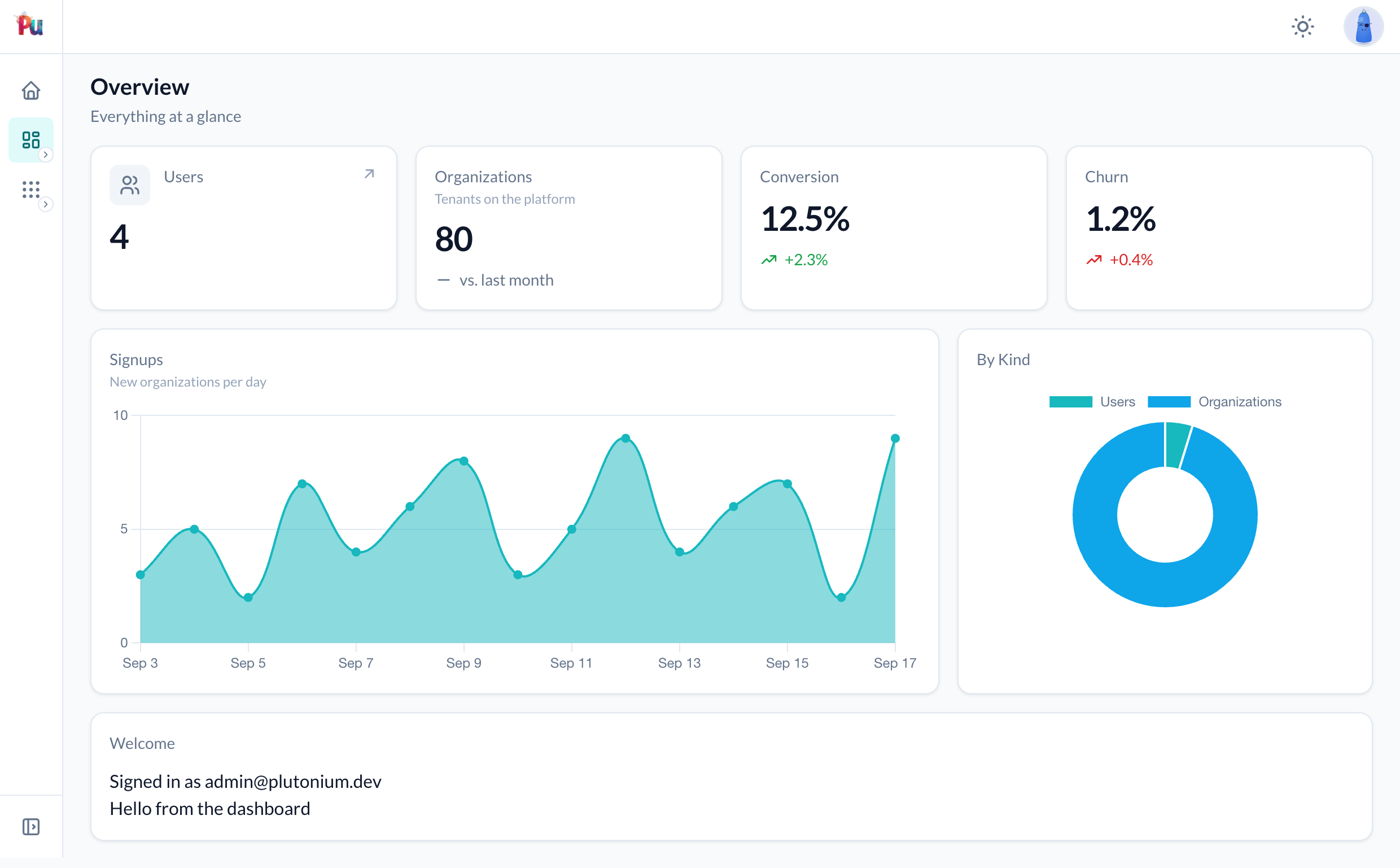
A dashboard is a page of cards: headline numbers, charts and free-form panels, declared in one Ruby class and mounted with a single routes line. By default every card loads in its own lazy turbo frame, so the page paints immediately and each card's queries run in a separate request as it scrolls into view.
What you get
- A
Plutonium::Dashboard::Basesubclass with a class-level DSL:metric,chartandcard. register_dashboardin a portal's routes draws the page, the per-card endpoint and a synthesized controller that inherits the portal's auth, tenant scoping and layout.- Metric cards format numbers (delimited, currency, percentage, human) and show a change indicator against a previous value.
- Chart cards render with Chart.js through Chartkick, using Plutonium's design tokens in light and dark mode. The chart bundle loads on demand, so pages without a chart never download it.
- Cards sit on a 12-column grid with a sensible default width per kind, and can refresh themselves on an interval, link somewhere, and hide behind a condition.
- Registered dashboards appear in the portal sidebar.
Worked example
1. Generate the dashboard
rails g pu:dashboard Sales --dest=admin_portalThis writes packages/admin_portal/app/dashboards/admin_portal/sales_dashboard.rb and adds register_dashboard AdminPortal::SalesDashboard, at: "sales" to the portal's routes. Pass --at=/ to make the dashboard the portal's root page instead; see Replacing the portal's default page.
2. Declare the cards
module AdminPortal
  class SalesDashboard < Plutonium::Dashboard::Base
    presents label: "Sales", description: "Orders and revenue at a glance",
      icon: Phlex::TablerIcons::ChartBar

    refresh 60

    metric(:orders, icon: Phlex::TablerIcons::ShoppingCart,
      href: -> { resource_url_for(Order, parent: nil) }) do
      {value: orders.where(created_at: 30.days.ago..).count,
       previous: orders.where(created_at: 60.days.ago...30.days.ago).count,
       change_label: "vs. previous 30 days"}
    end

    metric(:revenue, format: :currency) { orders.sum(:total) }

    metric(:refund_rate, format: :percentage, precision: 1, positive: :down) do
      {value: refund_rate, previous: previous_refund_rate}
    end

    metric(:customers, format: :human) { Customer.count }

    chart(:revenue_by_day, type: :area, span: 8) do
      orders.group_by_day(:created_at, last: 30).sum(:total)
    end

    chart(:by_channel, type: :donut, span: 4) do
      orders.group(:channel).count
    end

    card(:latest, span: :full) do
      ul(class: "divide-y divide-[var(--pu-border-muted)]") do
        latest_orders.each do |order|
          li(class: "py-2 flex justify-between") do
            span { order.number }
            span(class: "text-[var(--pu-text-muted)]") { helpers.number_to_currency(order.total) }
          end
        end
      end
    end

    private

    def orders = authorized_resource_scope(Order)
    def latest_orders = orders.order(created_at: :desc).limit(5)
    def refund_rate = 100.0 * orders.refunded.count / [orders.count, 1].max
    def previous_refund_rate = 1.8
  end
end
group_by_day comes from the groupdate gem, which pairs well with chart cards but is not required.
3. Visit it
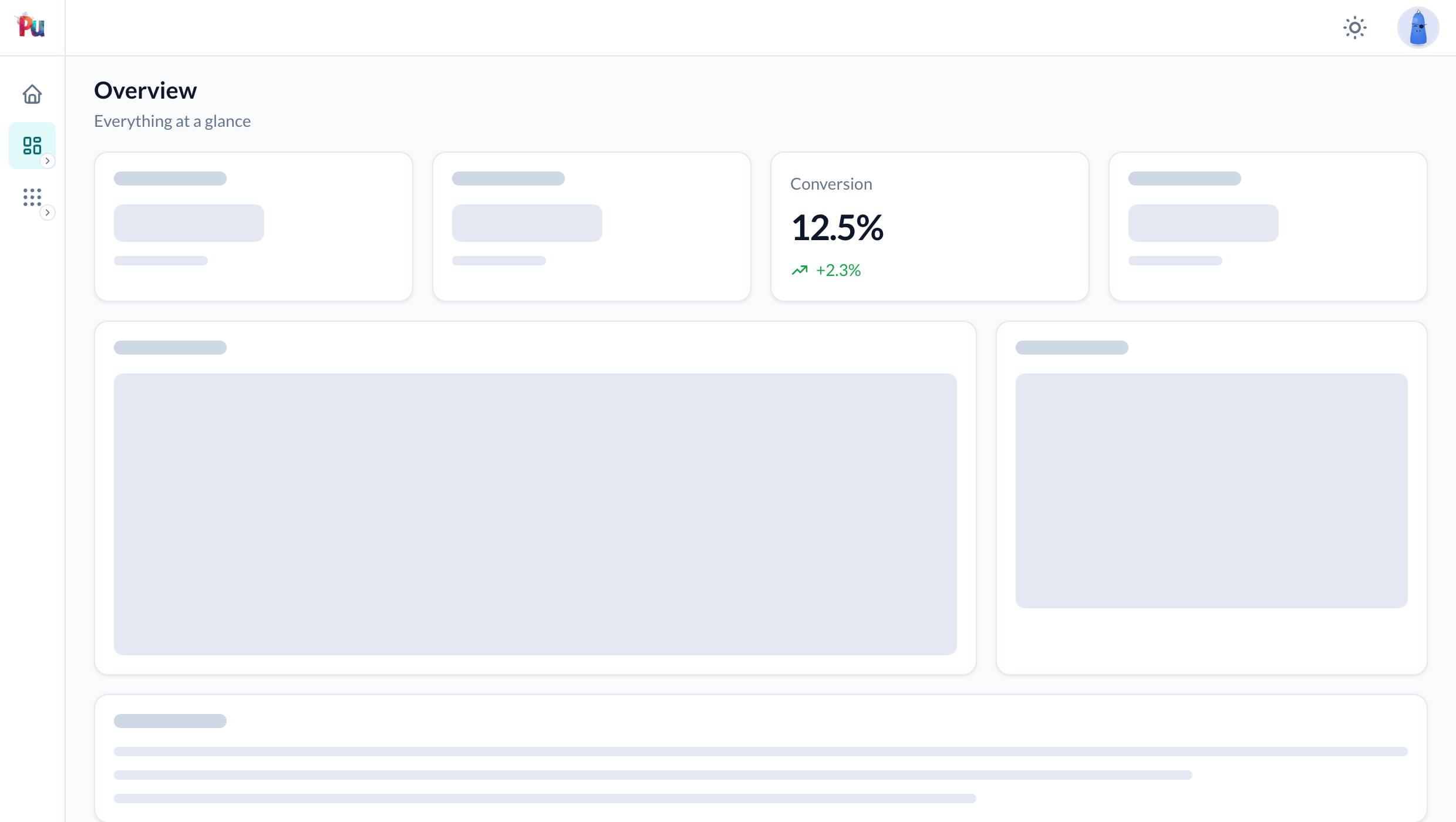
The page is at /admin/dashboards/sales. Each card is a <turbo-frame src="/admin/dashboards/sales/cards/<key>" loading="lazy"> holding a skeleton until its response lands. Every mount sits under dashboards/, so at: "sales" never collides with a Sale resource registered on the same portal. Pass prefix: nil to mount at the bare path (/admin/sales), or a string to use another segment (prefix: "reports").
Replacing the portal's default page
Every generated portal opens on root to: "dashboard#index", a DashboardController and a view that lists the registered resources. To make a dashboard the portal's root page instead, mount it at /:
rails g pu:dashboard Home --dest=admin_portal --at=/The generator writes AdminPortal::HomeDashboard and replaces the root to: line with register_dashboard AdminPortal::HomeDashboard, at: "/". The page is served at the portal root (/admin), its cards at /admin/dashboards/home/cards/<key>, and the sidebar's Home link keeps pointing at it. A root-mounted dashboard is the Home link, so it is left out of the Dashboards group.
The generator does not delete the old DashboardController or its dashboard/index.html.erb; nothing routes to them any more, so remove them yourself:
rm packages/admin_portal/app/controllers/admin_portal/dashboard_controller.rb
rm packages/admin_portal/app/views/admin_portal/dashboard/index.html.erb
The same registration by hand, for an existing portal:
AdminPortal::Engine.routes.draw do
  register_dashboard AdminPortal::HomeDashboard, at: "/"   # in place of root to: "dashboard#index"
  # ...
end
Only one root per portal: keep either the root to: line or the at: "/" registration, never both.
Cards
All three kinds share the same options:
| Option | Meaning |
|---|---|
label: | Card title. Defaults to a locale convention, then the key titleized. |
description: | Caption under the title. |
icon: | A Phlex::TablerIcons::* class shown beside the title. |
span: | Columns of the 12-column grid to span: 1 to 12, or :full. Defaults to 3 for a metric and 6 for a chart or a custom card. See Layout. |
lazy: | true (default) loads the card in its own turbo frame; false renders it inline with the page. See Lazy and inline cards. |
refresh: | Seconds between automatic reloads of the card's frame. Needs lazy: true. false opts the card out of the dashboard's refresh. |
condition: | A proc or a symbol naming a dashboard method. When false the card is left out of the page and its endpoint responds 404. |
href: | A path, or a proc returning one, that links the title. |
Blocks run on the dashboard instance, which exposes current_user, current_scoped_entity, params, authorized_resource_scope, resource_url_for, allowed_to?, helpers (the view context) and the dashboard's own private methods. A one-argument block receives the dashboard instead.
Metric
The block returns a value, or a hash with a change:
metric(:signups) { User.count }                                       # just the number
metric(:mrr, format: :currency) { {value: 12_400, previous: 11_000} } # +12.7%
metric(:latency, suffix: " ms") { {value: 182, change: "-14 ms", trend: :down} }
metric(:churn, format: :percentage, positive: :down) { {value: 1.2, previous: 1.0} }| Key | Meaning |
|---|---|
value | The number (or string) to show. nil renders an em dash. |
previous | Computes the percentage change from this value. |
change | A number in percentage points (2.5 renders +2.5%) or a string shown verbatim. |
trend | :up, :down or :flat. Inferred from the sign of change when omitted. |
change_label | Caption after the change, such as "vs. last month". Also a card option. |
Metric options: format: (:number, :currency, :percentage, :human, or a proc receiving the value), precision:, unit: (currency symbol), prefix:, suffix:, positive: (:up by default; :down when a falling number is good) and change_label:.
Chart
The block returns Chartkick data: a {label => value} hash, an array of pairs, or an array of {name:, data:} series. Date and time keys become a time axis.
chart(:signups, type: :line) { User.group_by_day(:created_at, last: 30).count }
chart(:plans, type: :pie) { Subscription.group(:plan).count }
chart(:traffic, type: :column, stacked: true) do
  [{name: "Web", data: web_by_week}, {name: "Mobile", data: mobile_by_week}]
end
type: is one of :line, :area, :column, :bar, :pie, :donut or :scatter; height: sets the drawing area (default "240px"). Every other option (colors:, stacked:, min:, max:, prefix:, suffix:, xtitle:, ytitle:, legend:, curve:, points:, library:, ...) is passed straight through to Chartkick. Series colours default to the --pu-chart-1 to --pu-chart-8 design tokens.
Custom
The block renders Phlex markup inside the card body. It is evaluated in the card component, so div, ul, render and the rest are available, and any method it calls that the component lacks is forwarded to the dashboard.
card(:onboarding, description: "Where new tenants are") do
  Plutonium::Wizard.in_progress_for(view_context).each do |entry|
    a(href: entry.resume_url, class: "block py-1") { entry.label }
  end
end
Layout
The grid is 12 columns wide on large screens, so halves, thirds and quarters all divide evenly and can share a dashboard. span: says how many of the 12 a card takes. Left out, a metric takes 3 (four to a row) and a chart or a custom card takes 6 (two to a row).
metric(:orders) { orders.count }                          # 3 of 12: four to a row
metric(:revenue, span: 6, format: :currency) { revenue }  # a headline number, half the row
chart(:revenue_by_day, type: :area, span: 8) { by_day }   # two thirds
chart(:by_channel, type: :donut, span: 4) { by_channel }  # the remaining third
card(:latest, span: :full) { render_latest }              # the whole row (same as 12)
Cards fill rows in declaration order and wrap when the next card does not fit. Tablets get two columns: a card with a span of 6 or more takes the full row, anything narrower takes one column. Phones get a single column.
width sets the page width with the same tokens as resource pages (:sm to :full) and defaults to :full.
Lazy and inline cards
Every card is lazy unless you say otherwise. lazy: false makes it inline: rendered with the page instead of fetched after it.
lazy: true (default) | lazy: false (inline) | |
|---|---|---|
| Where the block runs | In its own request to <mount>/cards/<key>, when the frame scrolls into view | In the page request, before the page is sent |
| What the page response holds | A <turbo-frame loading="lazy"> with a skeleton | The finished card; no frame, no skeleton, no second request |
| Cost | One extra request per card; the page itself never waits | The page waits for the block, so every inline card adds its query time to the page |
refresh | Reloads on the card's or the dashboard's interval | Never refreshes. A number raises ArgumentError; the dashboard's refresh skips it |
condition: false | Left out of the page, block never runs, endpoint is 404 | The same |
| Raises in production | Notice in place of the body, logged and reported | The same; the rest of the page still renders |
| Raises in development and test | That card's frame request fails; the page and the other cards are fine | The whole page raises, because the card is part of the page |
Make a card inline when its value is cheap (a cached number, an indexed count) and sits at the top of the page, where a skeleton flash and an extra request cost more than the query. Leave everything else lazy: one slow inline card delays the whole page, which is the problem lazy cards exist to solve.
Refreshing
refresh 60 on the dashboard reloads every lazy card once a minute; refresh: 10 on a card overrides it, and refresh: false keeps a card out of it (an expensive chart that does not need to be live). Reloads pause while the tab is hidden and catch up when it becomes visible. A chart re-renders in place when its data changes.
Authorization
A portal dashboard sits behind the portal's authentication like every other page. To restrict it further, override authorize?; a false answer is a 403 on the page and on every card endpoint:
def authorize? = current_user.admin?Use condition: to hide an individual card. The condition gates the card's endpoint as well, so a hidden card cannot be fetched by URL. An inline card behaves the same way.
Errors
When config.consider_all_requests_local is off (production), a card whose block raises renders a short notice in its place, and the rest of the dashboard is unaffected. The failure is written to the Rails log and reported through Rails.error with source: "plutonium.dashboard" and a context naming the dashboard class and the card key, so an error tracker subscribed to Rails.error (Sentry, Honeybadger, AppSignal) receives it. In development and test the error is raised so it is visible.
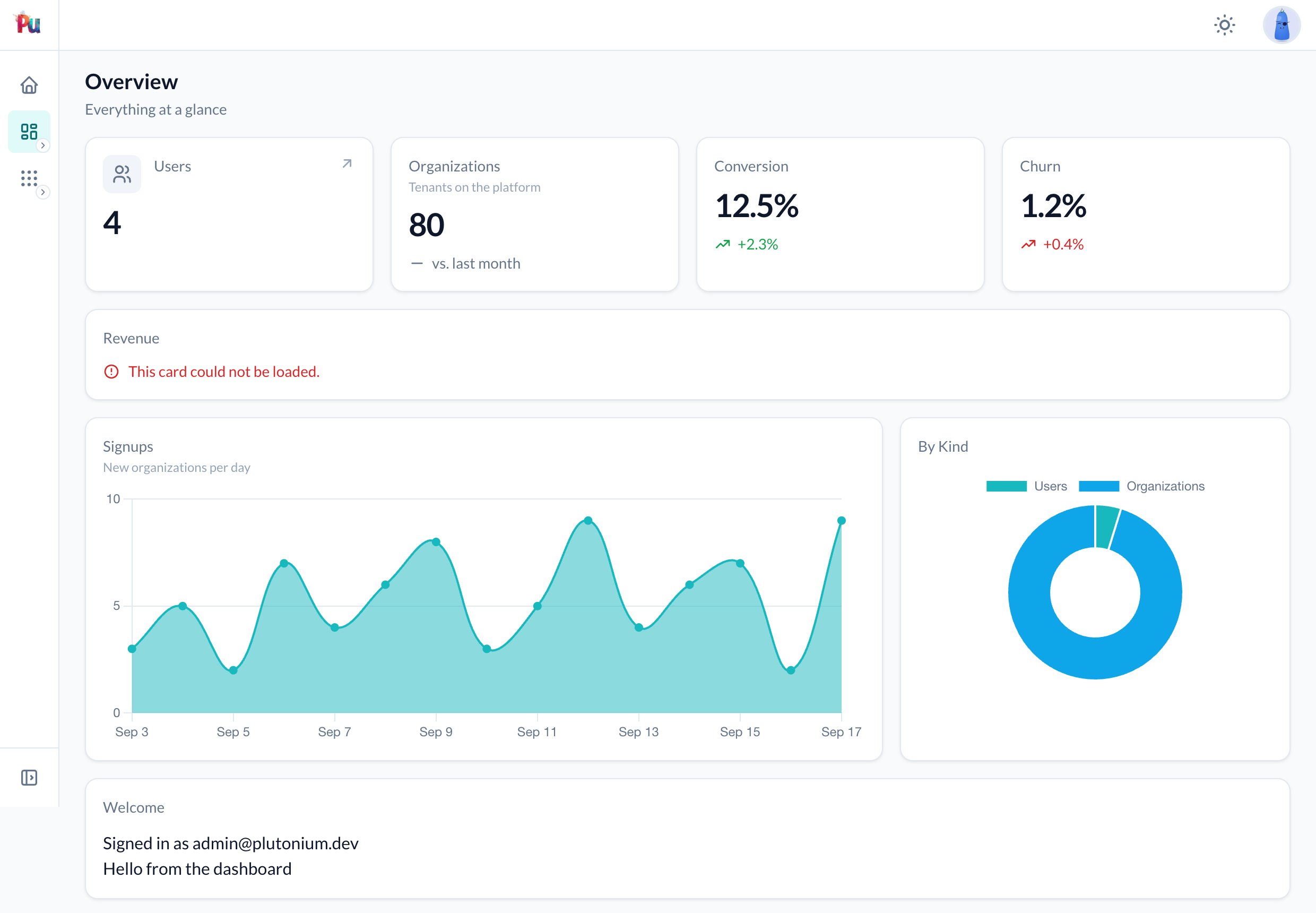
An inline card renders under the same guard, so in production it shows the same notice. In development and test its error is the page's error: the whole dashboard raises, where a lazy card fails only its own frame. Lazy and inline cards has the full comparison.
Multi-tenancy
On an entity-scoped portal the page and card URLs carry the tenant segment, and current_scoped_entity is available in every block:
class TeamDashboard < Plutonium::Dashboard::Base
  metric(:members) { current_scoped_entity.memberships.count }
end
Sidebar
Dashboards registered with register_dashboard are grouped in the portal sidebar under a Dashboards item, after the Home link, with one child link per dashboard. A dashboard mounted at the root is what the Home link opens, so it is left out of the group; with nothing else registered the group is not rendered. 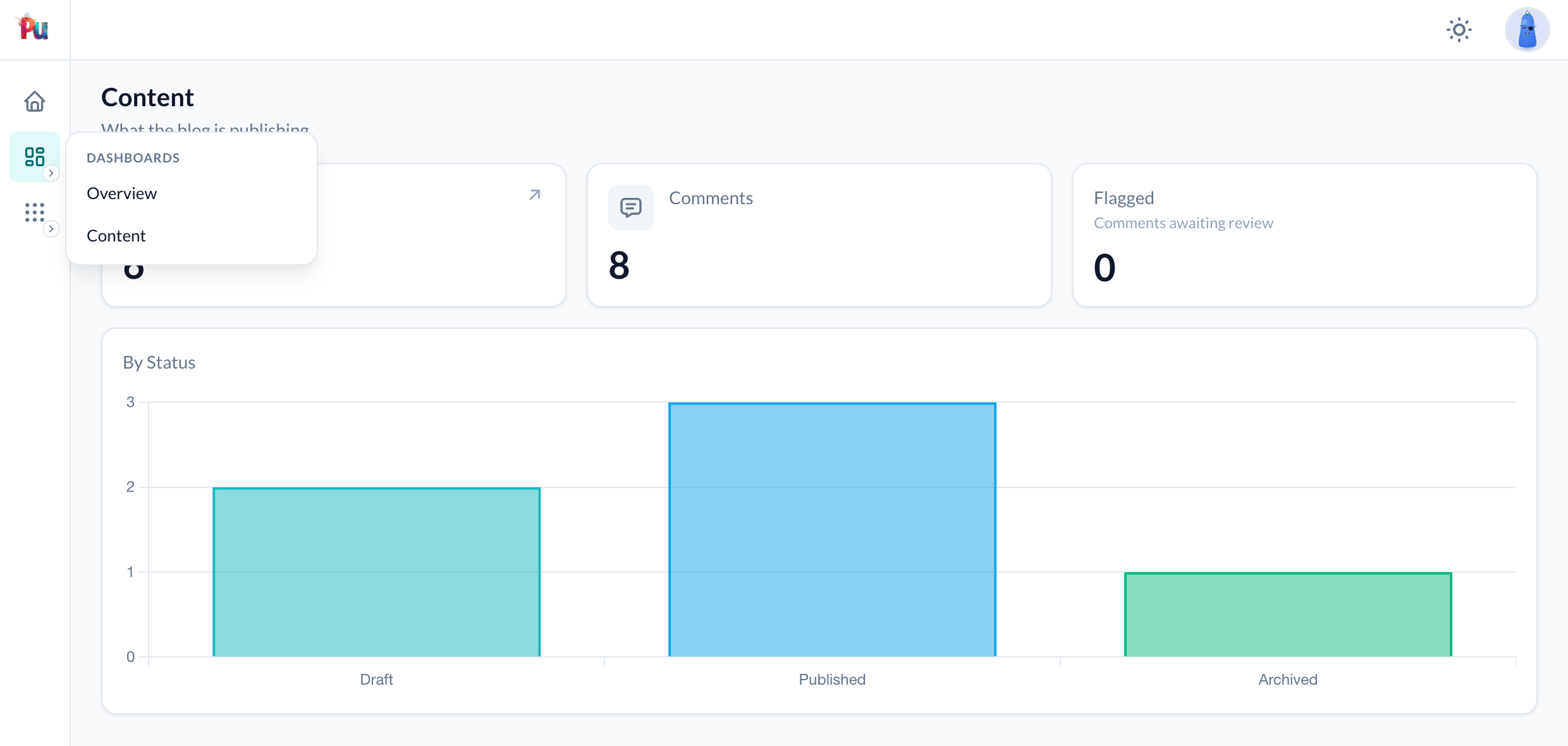
Portals generated before this feature carry an ejected _resource_sidebar.html.erb; add the block from the gem's partial to list dashboards there:
dashboards = registered_dashboards.reject { |dashboard| dashboard_path_for(dashboard) == root_path }
if dashboards.any?
  m.item t("plutonium.resource.nav.dashboards"), icon: Phlex::TablerIcons::LayoutDashboard do |n|
    dashboards.each do |dashboard|
      n.item dashboard.label, url: dashboard_path_for(dashboard), icon: dashboard.icon
    end
  end
end
The labels are the plutonium.resource.nav.home and plutonium.resource.nav.dashboards locale keys.
Translations
Titles resolve by convention, layered per portal like every other derived label:
en:
  plutonium:
    dashboards:
      admin_portal/sales:
        label: "Ventes"
        description: "Commandes et chiffre d'affaires"
        cards:
          orders:
            label: "Commandes"
The dashboard key is the class name underscored without the Dashboard suffix. See the i18n reference.
Customizing the page
The page is Plutonium::UI::Page::Dashboard, a Page::Base with the usual render_before_* and render_after_* hooks. To take it over, define <Portal>::DashboardsController yourself, include Plutonium::Dashboard::Controller, and override show:
module AdminPortal
  class DashboardsController < PlutoniumController
    include Plutonium::Dashboard::Controller

    def show
      authorize_dashboard!
      render CustomDashboardPage.new(dashboard: current_dashboard)
    end
  end
end