
Search and Filtering
Add a search box, sidebar filters, quick-scope buttons, and sortable columns to a resource's index page. All in the definition.
Goal
Users can:
- Type into a search box to narrow the index list.
- Click sidebar filters to narrow by status / category / date / etc.
- Click scope buttons (top-of-list quick filters) for common queries like "Published" or "My posts".
- Click column headers to sort.
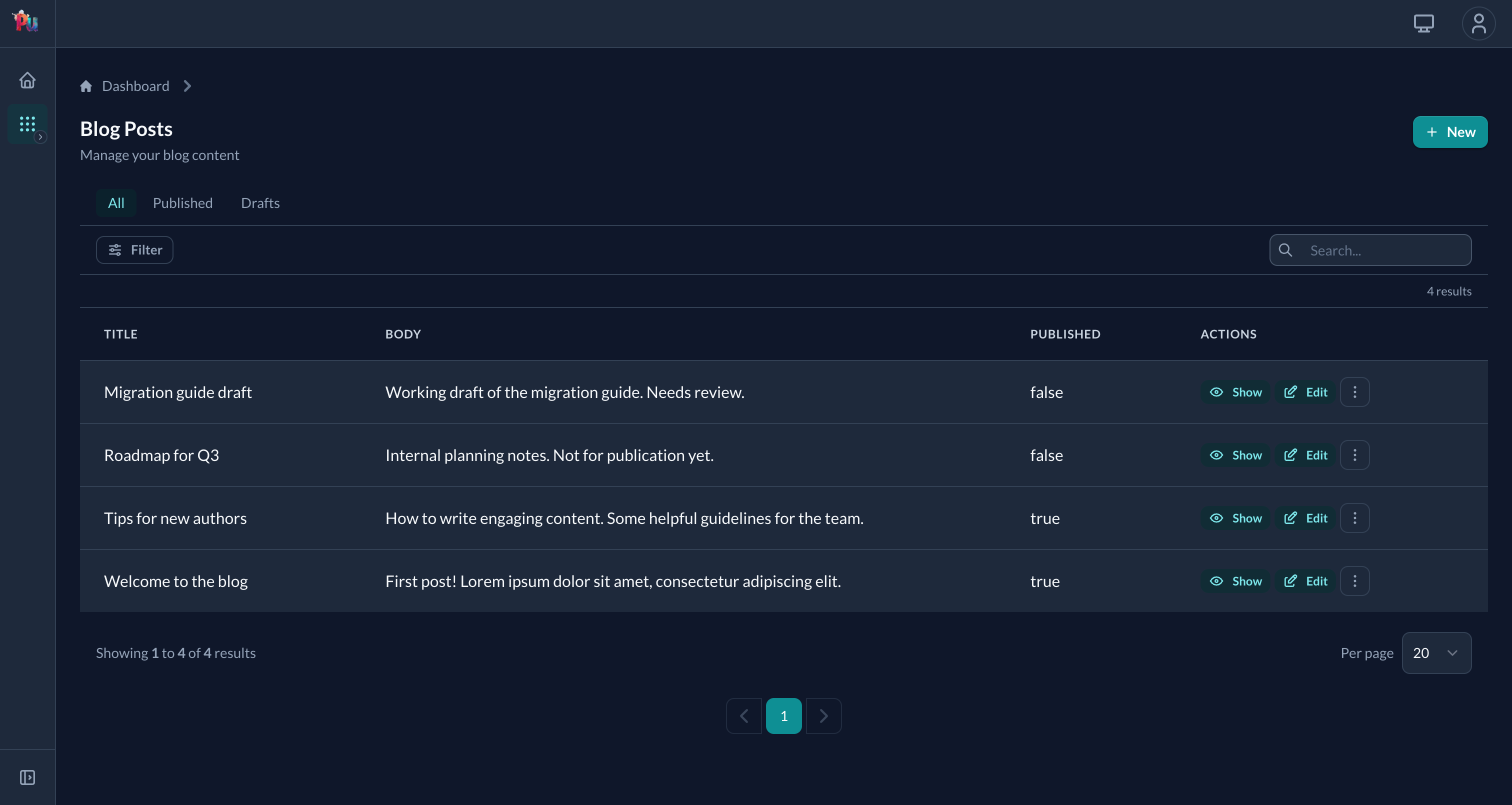
The four pieces
| DSL | Purpose |
|---|---|
search | The top-level search box. ONE block, queries you define. |
filter | Sidebar filter inputs. One per filterable attribute. |
scope | Quick-filter buttons across the top. References model scopes (or inline blocks). |
sort / default_sort | Sortable columns. |
All declared in the definition.
Quick recipe
class PostDefinition < ResourceDefinition
  # Search box: searches title and body
  search do |scope, query|
    scope.where("title ILIKE :q OR body ILIKE :q", q: "%#{query}%")
  end

  # Sidebar filters
  filter :status,     with: :select, choices: %w[draft published archived]
  filter :title,      with: :text,   predicate: :contains
  filter :created_at, with: :date_range

  # Quick-filter buttons
  scope :published   # uses Post.published
  scope :draft

  # Default scope (the "Published" button is highlighted on initial load)
  default_scope :published

  # Sortable columns
  sort :title
  sort :created_at
  default_sort :created_at, :desc
end
Search
# Single field
search do |scope, query|
  scope.where("title ILIKE ?", "%#{query}%")
end

# Multiple fields
search do |scope, query|
  scope.where(
    "title ILIKE :q OR content ILIKE :q OR author_name ILIKE :q",
    q: "%#{query}%"
  )
end

# Across associations
search do |scope, query|
  scope.joins(:author).where(
    "posts.title ILIKE :q OR users.name ILIKE :q",
    q: "%#{query}%"
  ).distinct
end
The search block also powers typeahead
When an association input targets this resource, the dropdown's autocomplete calls the resource's search block. Same code, two surfaces.
Without a search block: typeahead fallback
The framework falls back to a case-insensitive LIKE on the first column it finds, in priority order:
- The input's
label_method:option, if it's a real column. - Otherwise the first match from
[name, title, label, slug, display_name, email]. - Otherwise the relation is returned unfiltered (capped).
For large tables, write an explicit search block: the leading-wildcard LIKE can't use a b-tree index. See Reference › Resource › Query › Search.
Filters
Six built-in types. Use shorthand symbols:
| Type | Symbol | URL params | Options |
|---|---|---|---|
| Text | :text | query | predicate: |
| Boolean | :boolean | value | true_label:, false_label: |
| Date | :date | value | predicate: |
| Date range | :date_range | from, to | from_label:, to_label: |
| Select | :select | value | choices:, multiple: |
| Association | :association | value | class_name:, multiple: |
filter :title,        with: :text,        predicate: :contains
filter :active,       with: :boolean
filter :due_date,     with: :date,        predicate: :lt
filter :created_at,   with: :date_range
filter :status,       with: :select,      choices: %w[draft published]
filter :category,     with: :select,      choices: -> { Category.pluck(:name) }
filter :author,       with: :association, class_name: User
Custom filter (lambda)
filter :published, with: ->(scope, value) {
  value == "true" ? scope.where.not(published_at: nil) : scope.where(published_at: nil)
}
Custom filter class
For reusable filters with multiple inputs:
class PriceRangeFilter < Plutonium::Query::Filter
  def apply(scope, min: nil, max: nil)
    scope = scope.where("price >= ?", min) if min.present?
    scope = scope.where("price <= ?", max) if max.present?
    scope
  end

  def customize_inputs
    input :min, as: :number
    input :max, as: :number
  end
end

filter :price, with: PriceRangeFilter
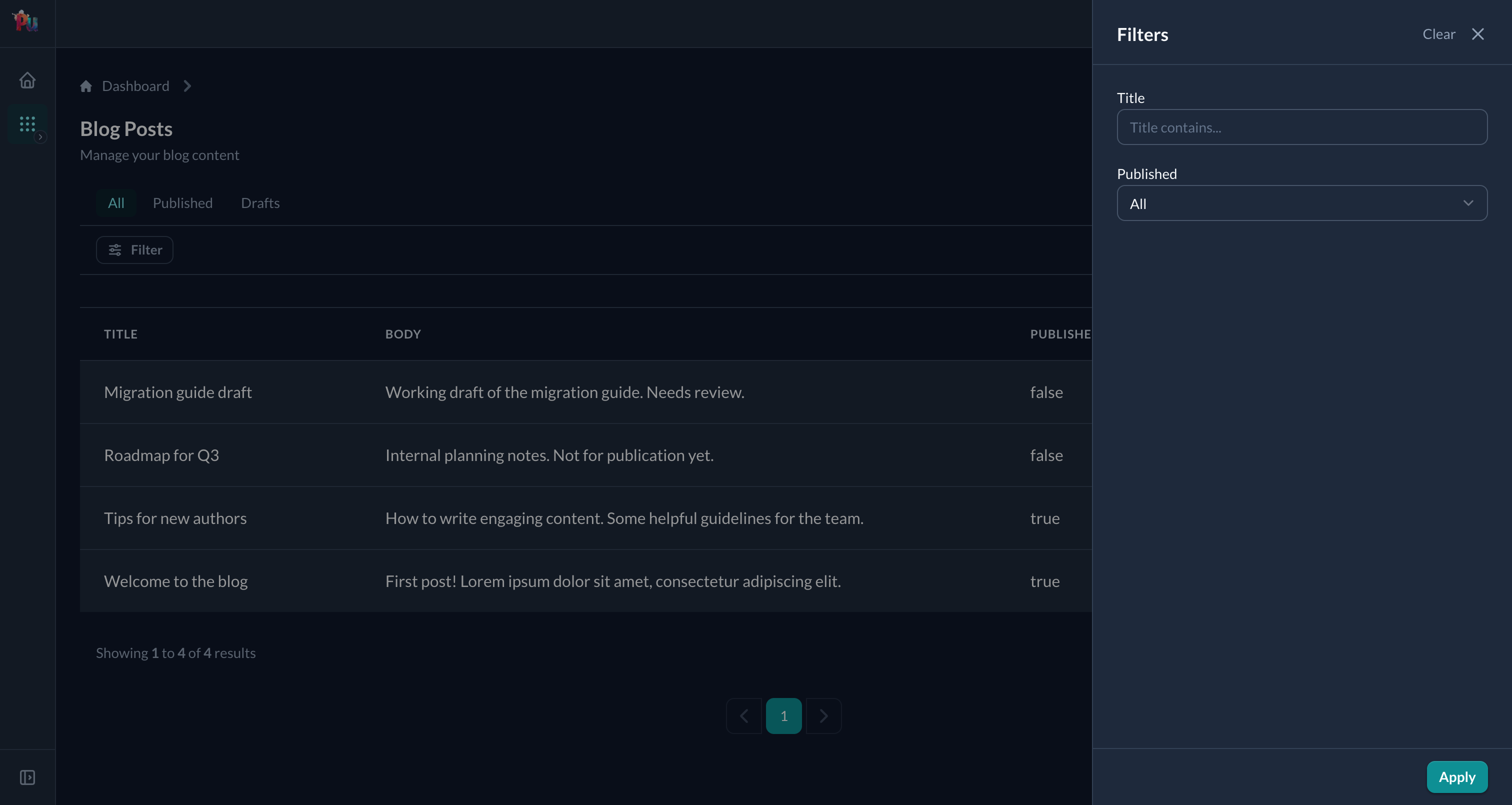
Clicking Filter opens a slideover with one input per declared filter:
Scopes (quick-filter buttons)
class PostDefinition < ResourceDefinition
  scope :published    # uses Post.published
  scope :draft        # uses Post.draft

  # Inline scope: block runs with scope as argument
  scope(:recent) { |s| s.where('created_at > ?', 1.week.ago) }

  # Scope with controller context
  scope(:mine) { |s| s.where(author: current_user) }
end
Named scopes reference a model scope. Inline scopes have access to current_user, current_parent, current_scoped_entity.
Default scope
default_scope :published- Applied on initial page load.
- The default scope button is highlighted (not "All").
- Clicking "All" shows the unscoped collection.
Sorting
sort :title
sort :created_at

sorts :title, :created_at, :view_count    # shorthand

default_sort :created_at, :desc

# Complex with a block
default_sort { |scope| scope.order(featured: :desc, created_at: :desc) }
Framework default (nothing declared, no user sort): id DESC.
URL parameters
Query params are namespaced under q:
/posts?q[search]=rails
/posts?q[title][query]=widget
/posts?q[status][value]=published
/posts?q[created_at][from]=2024-01-01&q[created_at][to]=2024-12-31
/posts?q[scope]=recent
/posts?q[sort_fields][]=created_at&q[sort_directions][created_at]=desc
Performance tips
- Add indexes for filtered and sorted columns.
- Use
.distinctwhen joining associations in search: duplicate rows otherwise. - Prefer scopes over filters for queries used often (no input parsing).
LIKE '%q%'can't use a b-tree index: for large tables, usepg_searchor a trigram/GIN/full-text index.
Full-text search with pg_search
# Model
class Post < ResourceRecord
  include PgSearch::Model
  pg_search_scope :search_content, against: %i[title content]
end

# Definition
search do |scope, query|
  scope.search_content(query)
end
Common issues
- Filter not showing up: make sure the attribute is in
permitted_attributes_for_indexon the policy. - Slow search on large tables:
LIKE '%q%'can't be indexed by a b-tree. Switch to FTS or trigram. - Duplicate rows in results: add
.distinctwhen joining associations. - Typeahead works on small dev tables but slows in production: same b-tree issue. Write an explicit
searchblock backed by a proper index.
Related
- Reference › Resource › Query: full surface
- Adding resources: basic resource setup
- Authorization:
permitted_attributes_for_indexgates which fields can be filtered