
Multi-tenancy
Isolate data by organization, account, or any other "entity". Plutonium handles the URL strategy, query scoping, form injection, and belongs_to auto-detection automatically.
Goal
Each tenant sees only their own records. Queries are filtered, forms inject the tenant on create, URLs include the tenant id, and policies receive the tenant for authorization.
🚨 Critical
- Never bypass
default_relation_scope. Overridingrelation_scopewithwhere(organization: ...)or manual joins triggersverify_default_relation_scope_applied!at runtime. Make suredefault_relation_scope(relation)is called somewhere in the chain: explicitly here, or viasuper(relation)(the framework'sPlutonium::Resource::Policybase calls it for you). - Always declare an association path from the model to the entity. Direct
belongs_to,has_one :through, or a customassociated_with_<entity>scope. Ifassociated_withcan't resolve, fix the model, not the policy. - Compound uniqueness scoped to the tenant FK.
validates :code, uniqueness: {scope: :organization_id}, without this, uniqueness leaks across tenants.
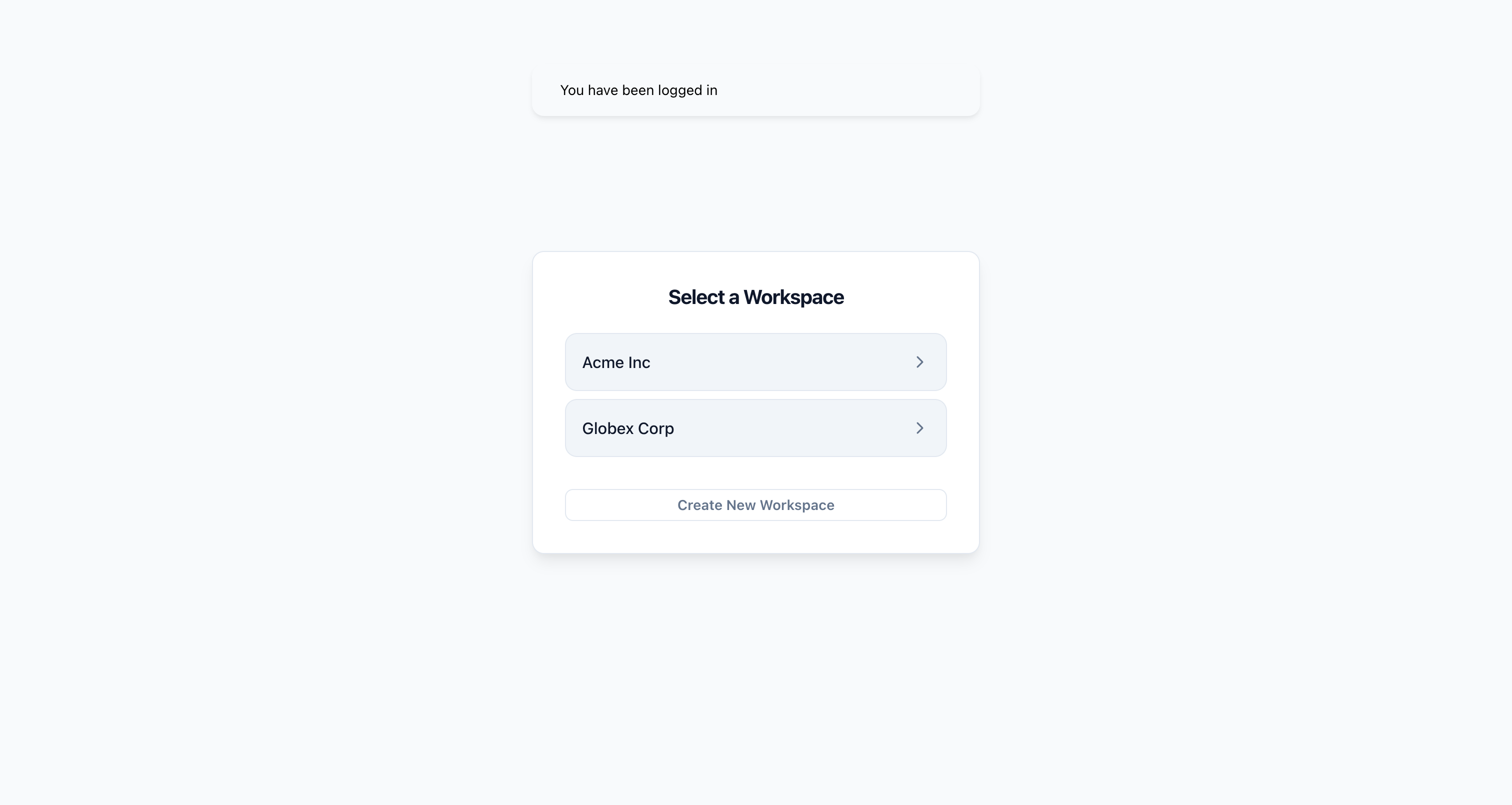
After login, users with memberships in multiple entities land on a workspace selector:
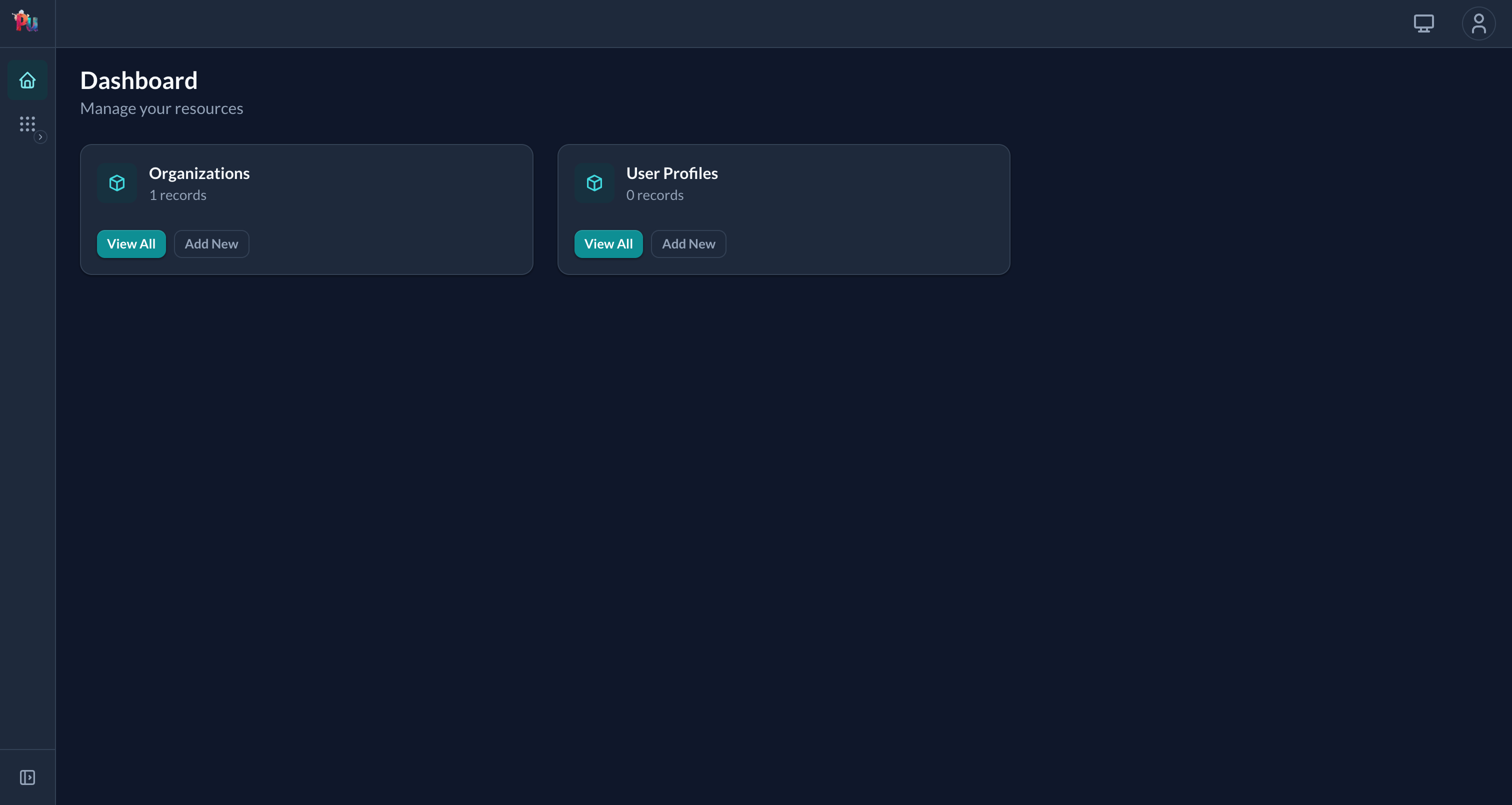
Picking one lands them on the entity-scoped dashboard: note the entity slug in the URL:
Quickest path: pu:saas:setup
rails g pu:saas:setup --user Customer --entity OrganizationThis meta-generator creates the user + entity + membership trio AND runs pu:saas:portal, pu:profile:setup, pu:saas:welcome, and pu:invites:install in one shot. The portal is fully wired for entity scoping.
See Reference › Auth › Accounts › SaaS setup.
Manual setup
1. Create the entity model
rails g pu:res:scaffold Organization name:string:uniq slug:string:uniq --dest=main_app2. Add the FK to each tenant-scoped resource
rails g pu:res:scaffold Post organization:belongs_to title:string content:text --dest=main_app
rails db:prepare
3. Scope the portal to the entity
# packages/customer_portal/lib/engine.rb
module CustomerPortal
  class Engine < Rails::Engine
    include Plutonium::Portal::Engine

    config.after_initialize do
      scope_to_entity Organization, strategy: :path
    end
  end
end
Or pass --scope=Organization to pu:pkg:portal and the engine wires this automatically.
4. Check the mount
pu:pkg:portal already mounted the engine in packages/customer_portal/config/routes.rb:
mount CustomerPortal::Engine, at: "/customer"To change the path, edit at: there. Don't add a second mount to config/routes.rb; Rails raises Invalid route name, already in use.
URLs now include the entity id as the first path segment after the mount: /customer/42/posts. The underlying param name is organization_scoped (Plutonium suffixes _scoped to avoid a name collision with any belongs_to :organization on child models: params[:organization_scoped] vs params[:organization]). Pass param_key: to scope_to_entity if you want a different param name.
5. Compound uniqueness
class Post < ResourceRecord
  belongs_to :organization
  validates :slug, uniqueness: {scope: :organization_id}
end
🚨 Without the scope:, the same slug in different orgs would collide.
6. Leave the entity in the policy
organization can stay in permitted_attributes_for_create. In the scoped portal the controller removes it from the form and params and sets it from the current entity (a forged organization_id is overwritten), while an unscoped admin portal using the same policy still gets a normal select.
Strategies
Path strategy (default)
scope_to_entity Organization, strategy: :path
# → /<mount>/:organization_scoped/posts   (request URL: /<mount>/42/posts)
Custom param key
scope_to_entity Organization, strategy: :path, param_key: :org_id
# → /<mount>/:org_id/posts   (same URL shape, just renames params[:organization_scoped] → params[:org_id])
Subdomain / session / custom
scope_to_entity Organization, strategy: :current_organizationThen implement the method on the portal's controller concern:
module CustomerPortal::Concerns::Controller
  extend ActiveSupport::Concern
  include Plutonium::Portal::Controller

  private

  def current_organization
    @current_organization ||= Organization.find_by!(subdomain: request.subdomain)
  end
end
Three model shapes
How tenant scoping resolves depends on how the model relates to the entity. Three shapes, pick the lightest:
1. Direct belongs_to
class Post < ResourceRecord
  belongs_to :organization
end
# Post.associated_with(org) → Post.where(organization: org)
Auto-detected. Use when the model naturally has a direct FK to the entity.
2. Join table (belongs_to AND belongs_to)
class Membership < ResourceRecord
  belongs_to :user
  belongs_to :organization   # auto-detected
end
3. Grandchild: has_one :through
class Post < ResourceRecord
  belongs_to :user
  has_one :organization, through: :user   # ← critical
end
Auto-detected via reflect_on_all_associations. Declaring has_one :through is the lightest fix when the path is two hops.
Full mechanics: Reference › Tenancy › Entity scoping › Three model shapes.
Custom scope (when the path is polymorphic or needs SQL control)
class Comment < ResourceRecord
  scope :associated_with_organization, ->(org) {
    joins(task: :project).where(projects: {organization_id: org.id})
  }
end
Plutonium picks this up before trying association detection.
Accessing the scoped entity
# Controller / views
current_scoped_entity
scoped_to_entity?

# Policy
entity_scope
Policy filtering on top of default
relation_scope do |relation|
  default_relation_scope(relation).where(archived: false)
end
🚨 default_relation_scope(relation) must be called somewhere in the chain, otherwise the runtime verification raises. super(relation) works when extending Plutonium::Resource::Policy directly (its block calls default_relation_scope); call default_relation_scope by name when you're not chaining via super.
Cross-tenant operations: super-admin portal
Create a separate portal without scope_to_entity:
module SuperAdminPortal
  class Engine < Rails::Engine
    include Plutonium::Portal::Engine
    # No scope_to_entity: sees all tenants
  end
end
This portal's policies see everything. Don't enable public signup here.
Multiple associations to the same entity
If a model has two belongs_to to the entity class (e.g. Match belongs_to :home_team, :away_team), the controller raises:
Match has multiple associations to Competition::Team: home_team, away_team.
Plutonium cannot auto-detect which one to use for entity scoping.
Override on the portal controller:
class MatchesController < ::ResourceController
  private
  def scoped_entity_association = :home_team
end
Query scoping (associated_with) raises AmbiguousAssociationError too, so add an explicit scope on the model:
scope :associated_with_competition_team, ->(team) { where(home_team: team) }Common issues
verify_default_relation_scope_applied!raises: your customrelation_scopedoesn't calldefault_relation_scope(relation). Fix by composing:default_relation_scope(relation).where(...).Could not resolve the association between 'Model' and 'Entity': the model has no path to the entity. Fix on the model (declarehas_one :throughor a customassociated_with_<entity>scope). Never paper over withwherein the policy.- Records leak across tenants: likely a missing compound-uniqueness scope on the model. Add
validates :code, uniqueness: {scope: :organization_id}. - Forms show the entity field anyway: check
present_scoped_entity?/submit_scoped_entity?on the controller (defaults arefalse). - Want to bypass scoping in one place: use
skip_default_relation_scope!explicitly, NOT a silentwherebypass.
Related
- Reference › Tenancy › Entity scoping: full surface
- Reference › Behavior › Policies:
relation_scopesyntax - Reference › App › Portals:
scope_to_entityengine config - Nested resources: parent scoping (takes precedence over entity scoping)
- User invites: invitation-based membership onboarding