
Chapter 7: Creating an Author Portal
In this chapter, you'll create a second portal for content authors. This demonstrates how multiple portals can share the same feature package while providing different access levels and experiences.
Why Multiple Portals?
Real applications often need different interfaces for different user types:
- Admin Portal - Full access for administrators
- Author Portal - Limited access for content creators
- Customer Portal - Public-facing for end users
Each portal can have:
- Different authentication (Admin vs User accounts)
- Different authorization rules (admins see everything, authors see only their own)
- Different UI customizations
Creating the Author Portal
Generate a new portal package:
rails generate pu:pkg:portal author --auth=userThis creates:
packages/author_portal/
├── app/
│   ├── controllers/author_portal/
│   │   ├── concerns/controller.rb
│   │   ├── plutonium_controller.rb
│   │   ├── resource_controller.rb
│   │   └── dashboard_controller.rb
│   ├── definitions/author_portal/
│   ├── policies/author_portal/
│   └── views/author_portal/
├── config/
│   └── routes.rb
└── lib/
    └── engine.rb
Configuring Authentication
The Author Portal uses the User account type (created in Chapter 3), while the Admin Portal uses Admin. Update the portal's controller concern:
# packages/author_portal/app/controllers/author_portal/concerns/controller.rb
module AuthorPortal
  module Concerns
    module Controller
      extend ActiveSupport::Concern
      include Plutonium::Portal::Controller
      include Plutonium::Auth::Rodauth(:user)  # Uses User accounts
    end
  end
end
Compare this to the Admin Portal which uses :admin:
# packages/admin_portal/app/controllers/admin_portal/concerns/controller.rb
include Plutonium::Auth::Rodauth(:admin)  # Uses Admin accounts
Connecting Resources
Connect the Post resource to the Author Portal:
rails generate pu:res:conn Blogging::Post --dest=author_portalThis adds routes and creates a portal-specific controller.
Portal-Specific Authorization
Authors should only see and manage their own posts. Create a portal-specific policy:
# packages/author_portal/app/policies/author_portal/blogging/post_policy.rb
class AuthorPortal::Blogging::PostPolicy < ::Blogging::PostPolicy
  # Authors can only see their own posts
  relation_scope do |relation|
    default_relation_scope(relation).where(user_id: user.id)
  end

  # Authors can always create posts
  def create?
    true
  end

  # Authors can only update their own posts
  def update?
    owner?
  end

  # Authors can only delete their own posts
  def destroy?
    owner?
  end

  # Don't show user_id field - it's automatically set
  def permitted_attributes_for_create
    [:title, :body]
  end
end
Plutonium automatically uses the portal-specific policy (AuthorPortal::Blogging::PostPolicy) when accessing posts through the Author Portal.
Auto-Assigning the Author
When authors create posts, we want to automatically set themselves as the author. The pu:res:conn generator creates a portal-specific controller that extends the feature package's controller. Override the resource_params method to merge in the current user:
# packages/author_portal/app/controllers/author_portal/blogging/posts_controller.rb
class AuthorPortal::Blogging::PostsController < ::Blogging::PostsController
  include AuthorPortal::Concerns::Controller

  private

  # Override resource_params to automatically include current_user
  def resource_params
    super.merge(user: current_user)
  end
end
Notice that the controller inherits from ::Blogging::PostsController (the feature package's controller), not AuthorPortal::ResourceController. This allows portal controllers to share behavior defined in the feature package while adding portal-specific customizations.
Now when an author creates a post, they're automatically set as the owner.
Configuring Routes
The Author Portal routes are configured to use User authentication:
# packages/author_portal/config/routes.rb
AuthorPortal::Engine.routes.draw do
  root to: "dashboard#index"

  register_resource ::Blogging::Post
end

Rails.application.routes.draw do
  constraints Rodauth::Rails.authenticate(:user) do
    mount AuthorPortal::Engine, at: "/author"
  end
end
Testing the Portal
Start the server:
bin/devNow you have two portals:
| Portal | URL | Account Type | Access |
|---|---|---|---|
| Admin | /admin | Admin | All posts |
| Author | /author | User | Own posts only |
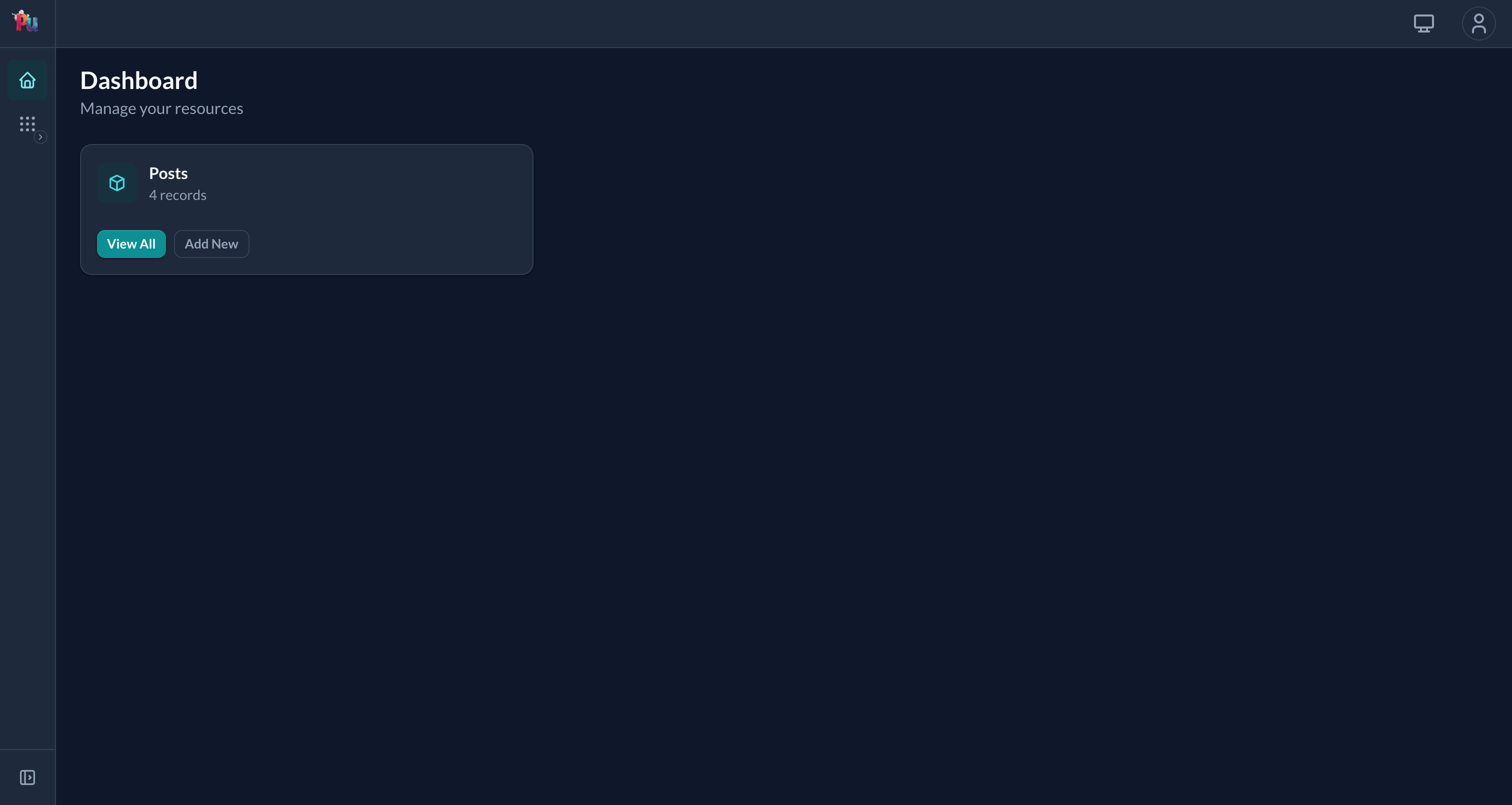
Log in at /users/login with the user account and you land on the Author Portal dashboard, the same chrome as the Admin Portal but mounted at /author, gated by Rodauth::Rails.authenticate(:user):
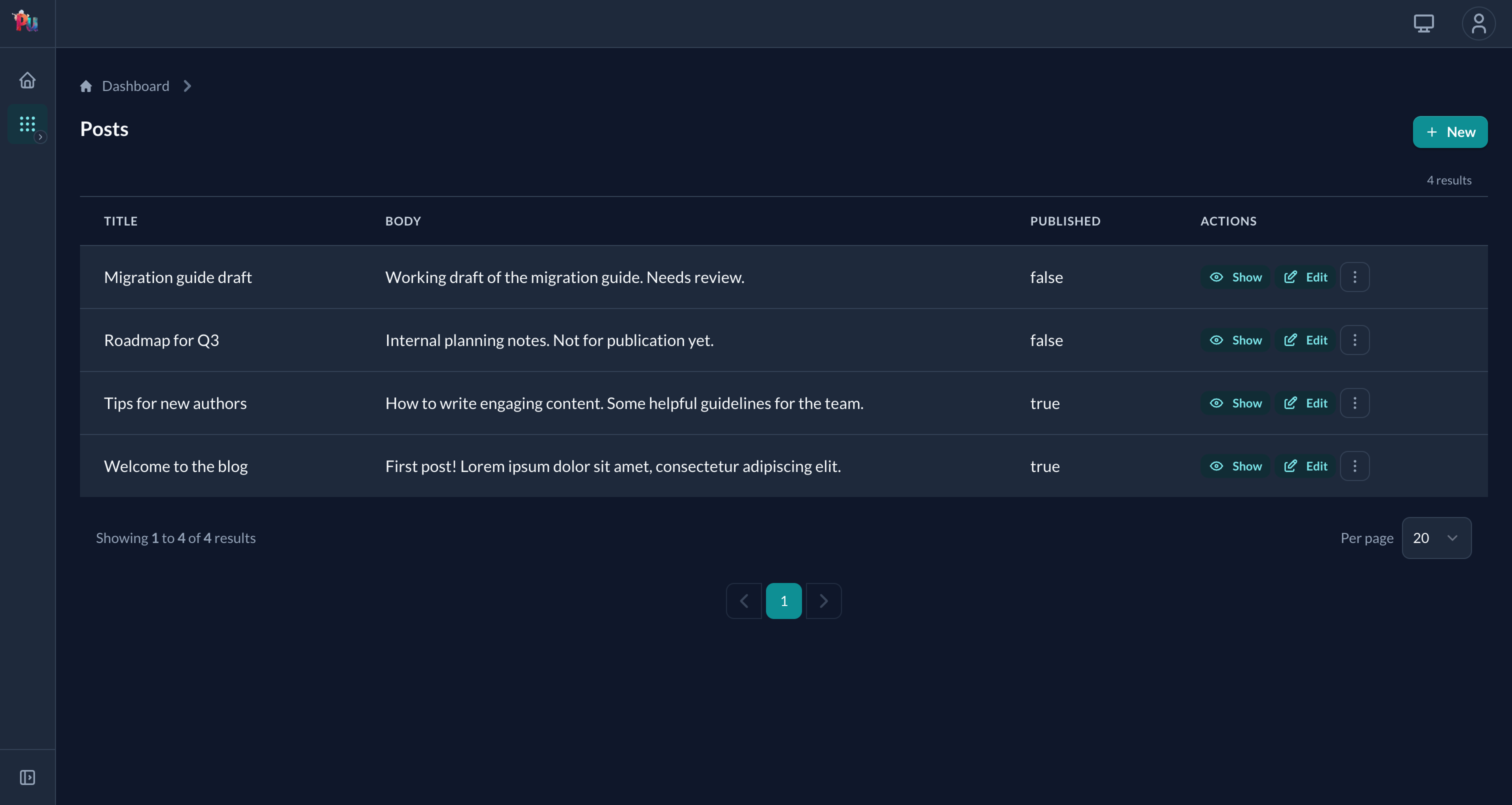
The posts list lives at /author/blogging/posts: same Blogging::Post resource, different portal context (and once you add the scoping policy below, scoped to the logged-in author):
Test the difference:
- Create an Admin account at
/admin/register - Create a User account at
/auth/register - As Admin: Create several posts at
/admin/blogging/posts - As User: Visit
/author/blogging/posts- you'll only see posts you created
How It Works
The same Blogging::Post resource is used by both portals, but:
- Different authentication - Admin Portal requires Admin accounts, Author Portal requires User accounts
- Different policies -
AuthorPortal::Blogging::PostPolicyscopes posts to the current user - Different controllers - Author Portal auto-assigns the current user as author
This is the power of Plutonium's portal system - share business logic while customizing access.
What's Next
In the next chapter, we'll customize the UI with custom forms, tables, and views.