
Chapter 6: Nested Resources
In this chapter, you'll add Comments as a nested resource under Posts.
What are Nested Resources?
Nested resources are resources that belong to a parent resource. In our blog:
- Comments belong to Posts
- The URL reflects this:
/admin/blogging/posts/1/blogging/comments - Comments are automatically scoped to their parent post
Generating the Comment Resource
rails generate pu:res:scaffold Comment body:text user:belongs_to Blogging/Post:belongs_to --dest=blogging
rails db:prepare
Run the migration before connecting the resource to a portal: pu:res:conn reads the table's columns to seed the policy's attribute lists.
Setting Up the Association
Update the Post model to add the has_many association:
# packages/blogging/app/models/blogging/post.rb
class Blogging::Post < Blogging::ResourceRecord
  belongs_to :user
  has_many :comments, foreign_key: :post_id, dependent: :destroy
  # ... existing code
end
The Comment Model
The generator creates:
# packages/blogging/app/models/blogging/comment.rb
class Blogging::Comment < Blogging::ResourceRecord
  belongs_to :user
  belongs_to :post, class_name: "Blogging::Post"
  # ... generated code
end
Note: When referencing resources within the same package, the generator uses the short name (:post) while setting the appropriate class_name and foreign key to the correct table.
Connecting to the Portal
Connect comments to the admin portal:
rails generate pu:res:conn Blogging::Comment --dest=admin_portalBecause Comment has belongs_to :post, Plutonium automatically creates nested routes:
GET /admin/blogging/posts/:blogging_post_id/blogging/commentsPOST /admin/blogging/posts/:blogging_post_id/blogging/commentsGET /admin/blogging/posts/:blogging_post_id/blogging/comments/:id
Showing Comments on Post Detail
To show a comments panel on the post detail page, add comments to permitted_associations in the policy:
# packages/blogging/app/policies/blogging/post_policy.rb
class Blogging::PostPolicy < Blogging::ResourcePolicy
  def permitted_associations
    %i[user comments]
  end
end
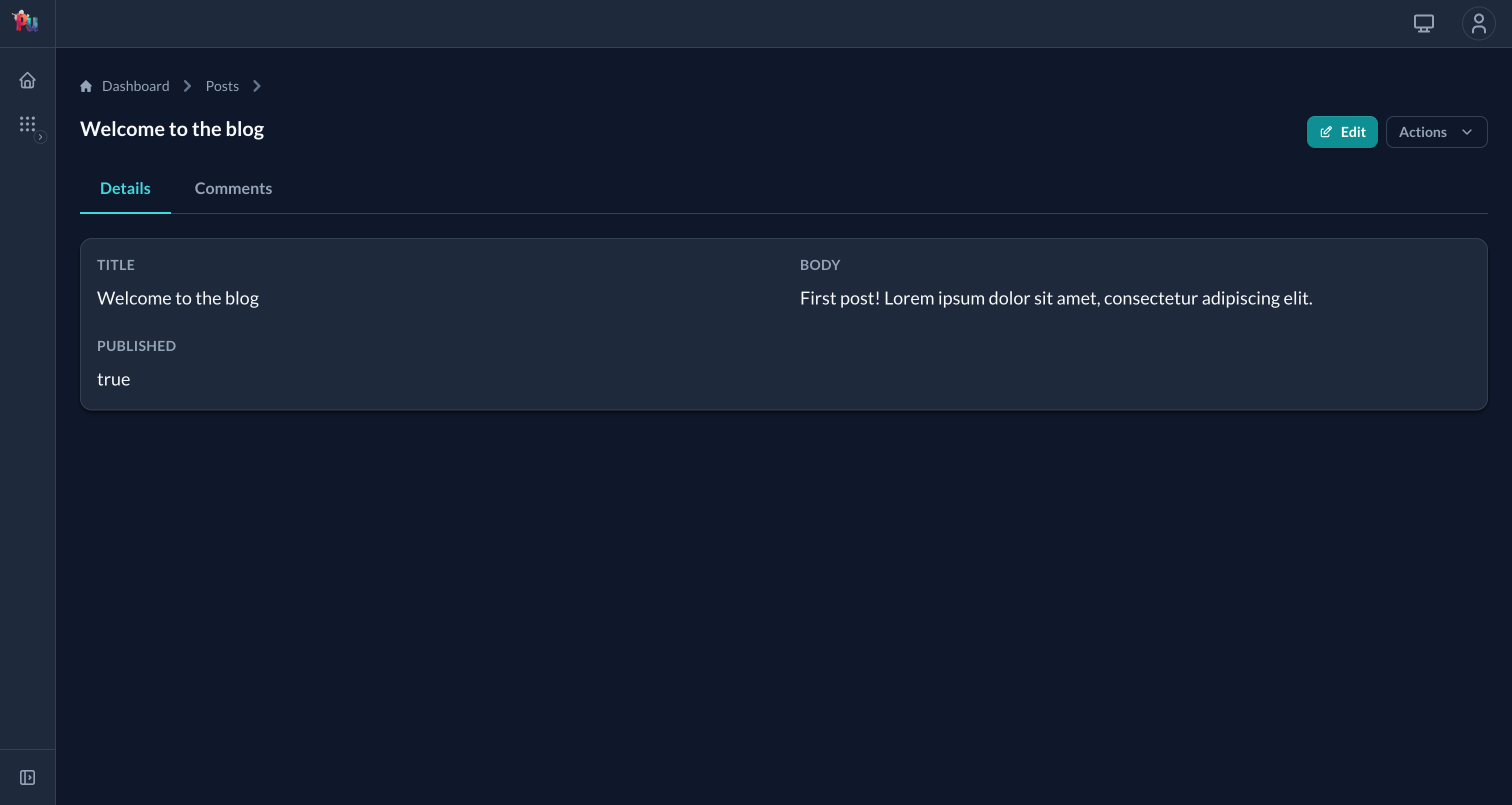
The post show page now has tabs, Details and Comments, driven by the associations you permit:
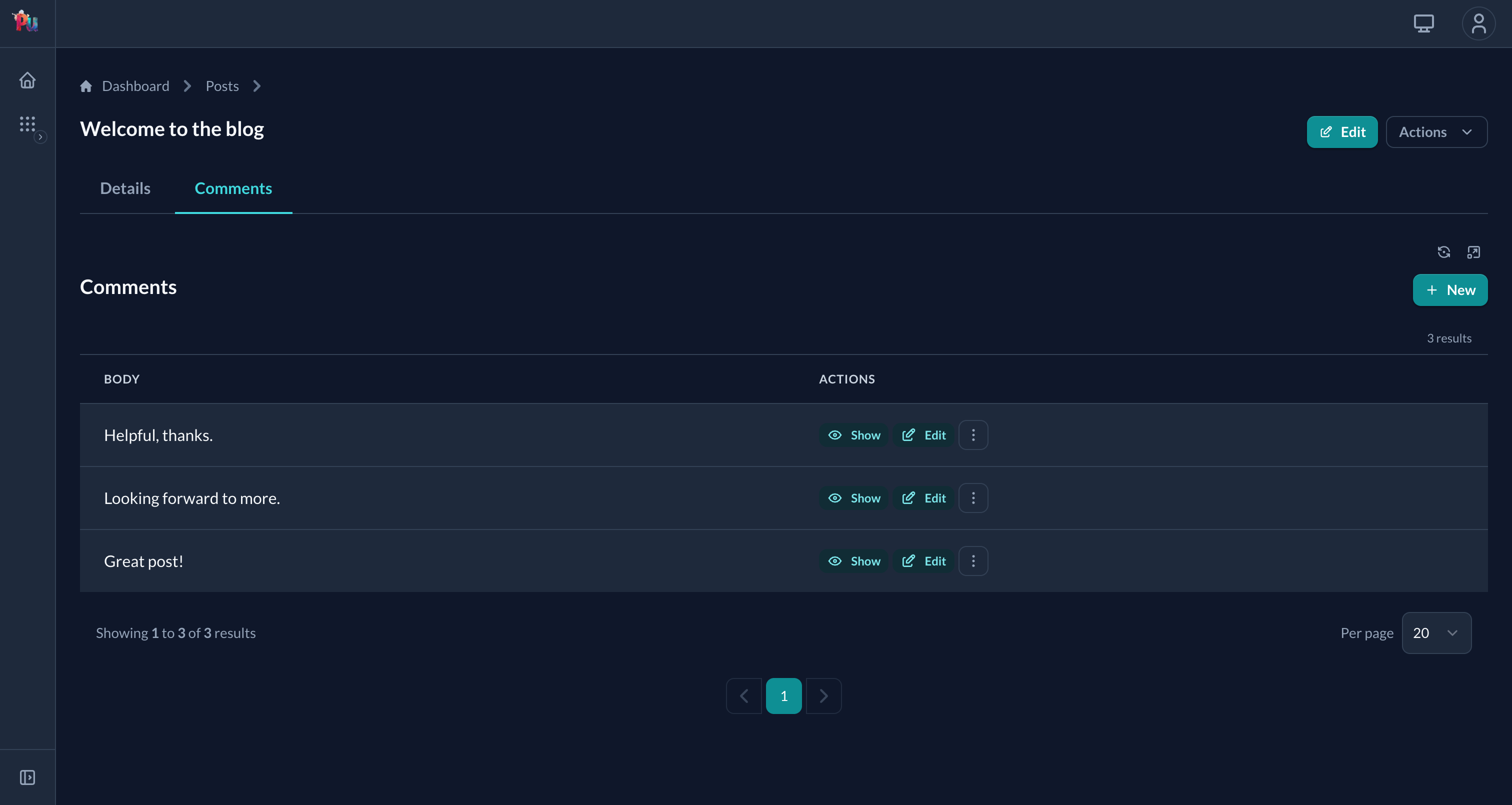
Clicking Comments opens the nested index for that post: a complete sub-resource view with its own paginated table, "New" button, and row actions:
Comment Policy
Add authorization for comments:
# packages/blogging/app/policies/blogging/comment_policy.rb
class Blogging::CommentPolicy < Blogging::ResourcePolicy
  def read?
    true # Anyone can read comments
  end

  def create?
    true # Anyone authenticated can comment
  end

  def update?
    owner?
  end

  def destroy?
    owner? || post_owner?
  end

  # Scope to comments on published posts (or user's own posts)
  relation_scope do |relation|
    relation = default_relation_scope(relation)

    relation.joins(:post).where(
      blogging_posts: {published: true}
    ).or(
      relation.where(user_id: user.id)
    )
  end

  private

  def owner?
    record.user_id == user.id
  end

  def post_owner?
    record.post.user_id == user.id
  end
end
Nested Forms
You can edit comments directly on the post form using nested attributes:
# In Post model
accepts_nested_attributes_for :comments, allow_destroy: true# In PostDefinition - option 1: inline block
nested_input :comments do |definition|
definition.input :body
end
# In PostDefinition - option 2: use existing definition
nested_input :comments, using: Blogging::CommentDefinition, fields: %i[body]This adds an inline comments editor to the post form.
Nesting Limitations
Plutonium supports one level of nesting. For deeper hierarchies (e.g., Replies to Comments), keep URLs flat: /blogging/comments/:blogging_comment_id/blogging/replies
What's Next
Our blog has posts and comments. In the next chapter, we'll create an Author Portal to show how multiple portals can share resources with different access levels.