
Chapter 5: Adding Custom Actions
In this chapter, you'll add a "Publish" action to posts using Interactions.
What are Interactions?
Interactions are classes that encapsulate business logic. They're used for:
- Operations more complex than simple CRUD
- Actions that need validation beyond the model
- Operations involving multiple models
- Business logic you want to reuse
Creating the Publish Interaction
Create an interaction to publish posts:
# packages/blogging/app/interactions/blogging/publish_post.rb
class Blogging::PublishPost < Blogging::ResourceInteraction
  # Presentation
  presents label: "Publish Post",
           icon: Phlex::TablerIcons::Send

  # Having `attribute :resource` makes this a record action
  # (shows on individual records and table rows)
  attribute :resource

  # Validation
  validate :post_not_already_published

  private

  def execute
    resource.update!(published: true, published_at: Time.current)

    succeed(resource)
      .with_message("Post published successfully!")
  end

  def post_not_already_published
    if resource.published?
      errors.add(:base, "Post is already published")
    end
  end
end
Registering the Action
Add the action to the Post definition:
# packages/blogging/app/definitions/blogging/post_definition.rb
class Blogging::PostDefinition < Blogging::ResourceDefinition
  # Register the publish action
  action :publish, interaction: Blogging::PublishPost
end
Action placement is automatically determined:
attribute :resource→ shows on records and table rowsattribute :resources→ bulk action for selected records- Neither → resource-level action (like "New" button)
Authorizing the Action
Add permission for the action in the policy:
# packages/blogging/app/policies/blogging/post_policy.rb
class Blogging::PostPolicy < Blogging::ResourcePolicy
  # ... existing permissions ...

  def publish?
    owner? && !record.published?
  end
end
Testing the Action
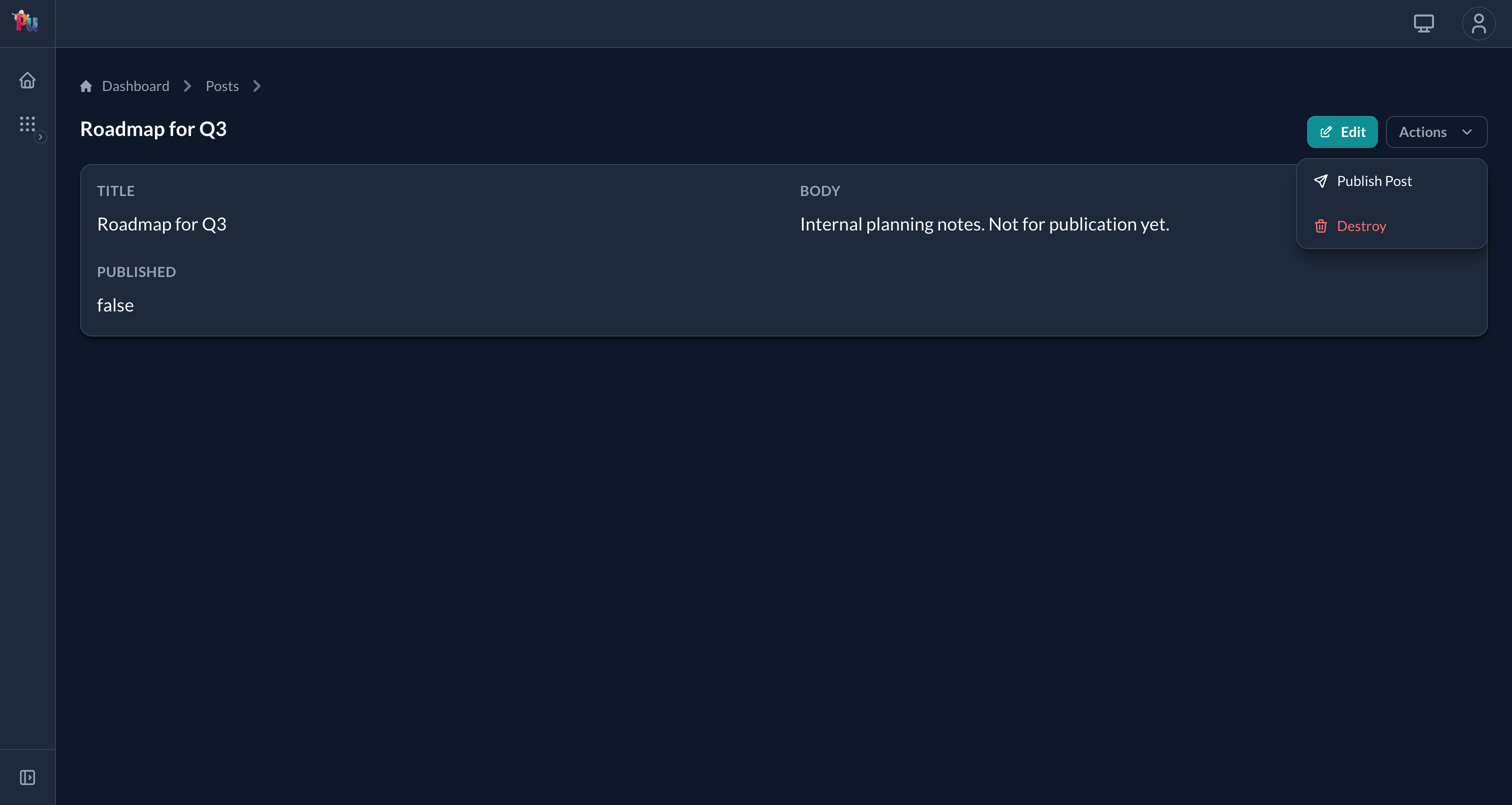
Open any unpublished post and click Actions in the top-right; the "Publish Post" item appears with its Tabler icon:
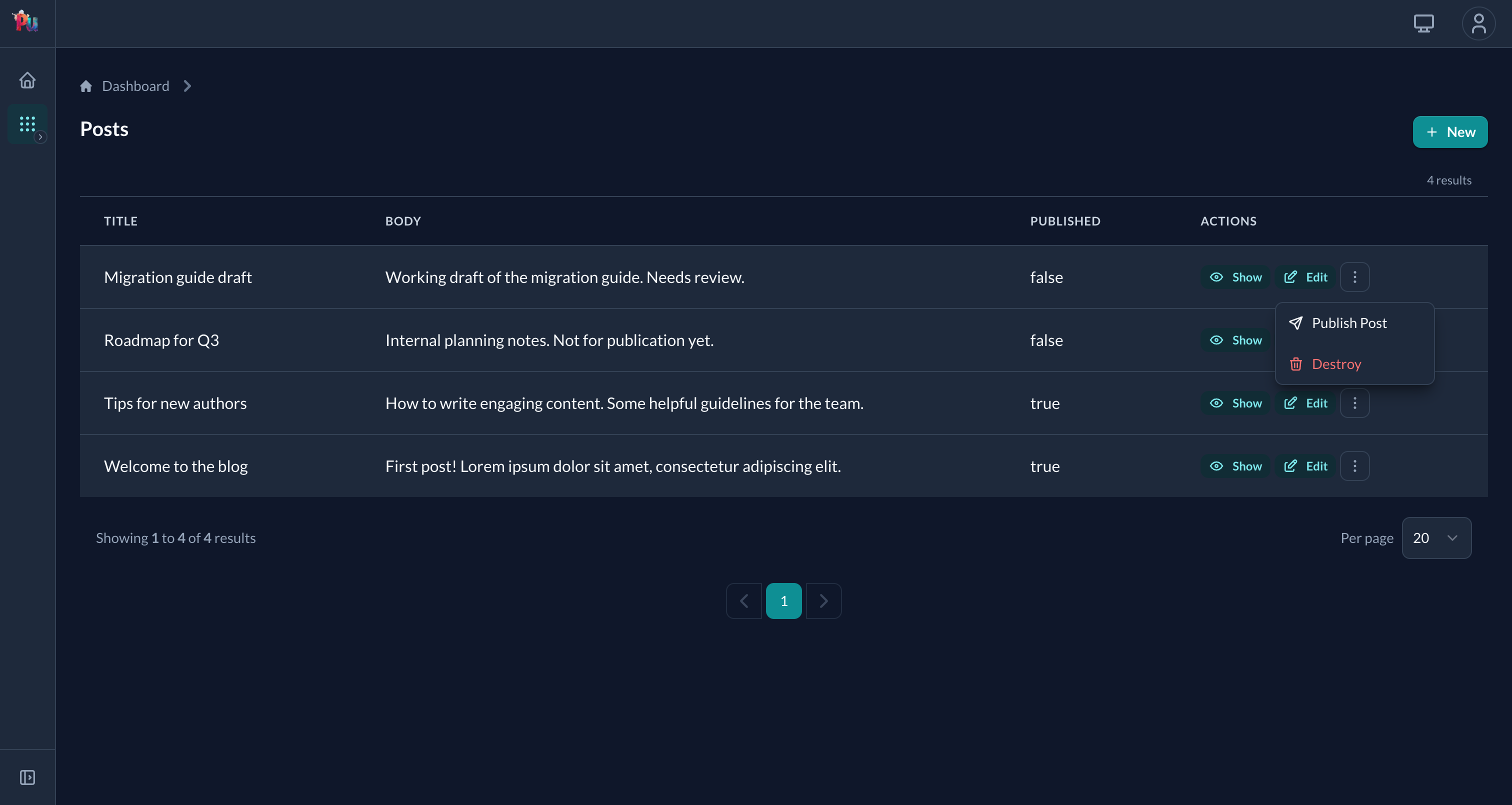
It also shows on each table row's ⋮ menu, same action, available wherever the record is rendered:
Click "Publish Post" and the post is updated; the flash banner confirms success.
Actions with User Input
Let's create a more complex action - scheduling publication:
# packages/blogging/app/interactions/blogging/schedule_post.rb
class Blogging::SchedulePost < Blogging::ResourceInteraction
  presents label: "Schedule Publication",
           icon: Phlex::TablerIcons::Calendar

  attribute :resource
  attribute :publish_at, :datetime

  # Define form input
  input :publish_at, as: :datetime

  # Validations
  validates :publish_at, presence: true
  validate :publish_at_in_future

  private

  def execute
    resource.update!(
      scheduled_at: publish_at,
      published: false
    )

    succeed(resource)
      .with_message("Post scheduled for #{publish_at.strftime('%B %d, %Y at %I:%M %p')}")
  end

  def publish_at_in_future
    if publish_at.present? && publish_at <= Time.current
      errors.add(:publish_at, "must be in the future")
    end
  end
end
Register it:
# In PostDefinition
action :schedule, interaction: Blogging::SchedulePost
Because the interaction defines an input, users see a form to select the publication date.
Resource-Level Actions
Actions can operate at the resource level (not on a specific record):
# packages/blogging/app/interactions/blogging/import_posts.rb
class Blogging::ImportPosts < Blogging::ResourceInteraction
  presents label: "Import Posts",
           icon: Phlex::TablerIcons::Upload

  attribute :file

  input :file, as: :file

  validates :file, presence: true

  private

  def execute
    # Process CSV file...
    succeed(nil).with_message("Posts imported successfully")
  end
end
Register it:
action :import, interaction: Blogging::ImportPostsSince ImportPosts has no attribute :resource or attribute :resources, it automatically becomes a resource-level action.
Action Placement
For interactive actions, placement is auto-determined from attributes:
| Attribute | Placement |
|---|---|
attribute :resource | Record show page + table rows |
attribute :resources | Bulk action (selected records) |
| Neither | Resource-level (like "New" button) |
You can override with explicit options if needed:
| Option | Location |
|---|---|
record_action: | Record show page |
collection_record_action: | Table row actions |
resource_action: | Above the table |
Action Styling
Customize action appearance:
action :archive,
       interaction: ArchivePost,
       category: :danger,            # red styling
       confirmation: "Are you sure?" # confirmation dialog
What's Next
We have posts with custom actions. In the next chapter, we'll add Comments as a nested resource.